
Client analytics.
Inside your dashboard.
Google Analytics 4 embedded natively in AOP. View traffic, sessions, bounce rate, and conversions per client project — without opening a separate tab.
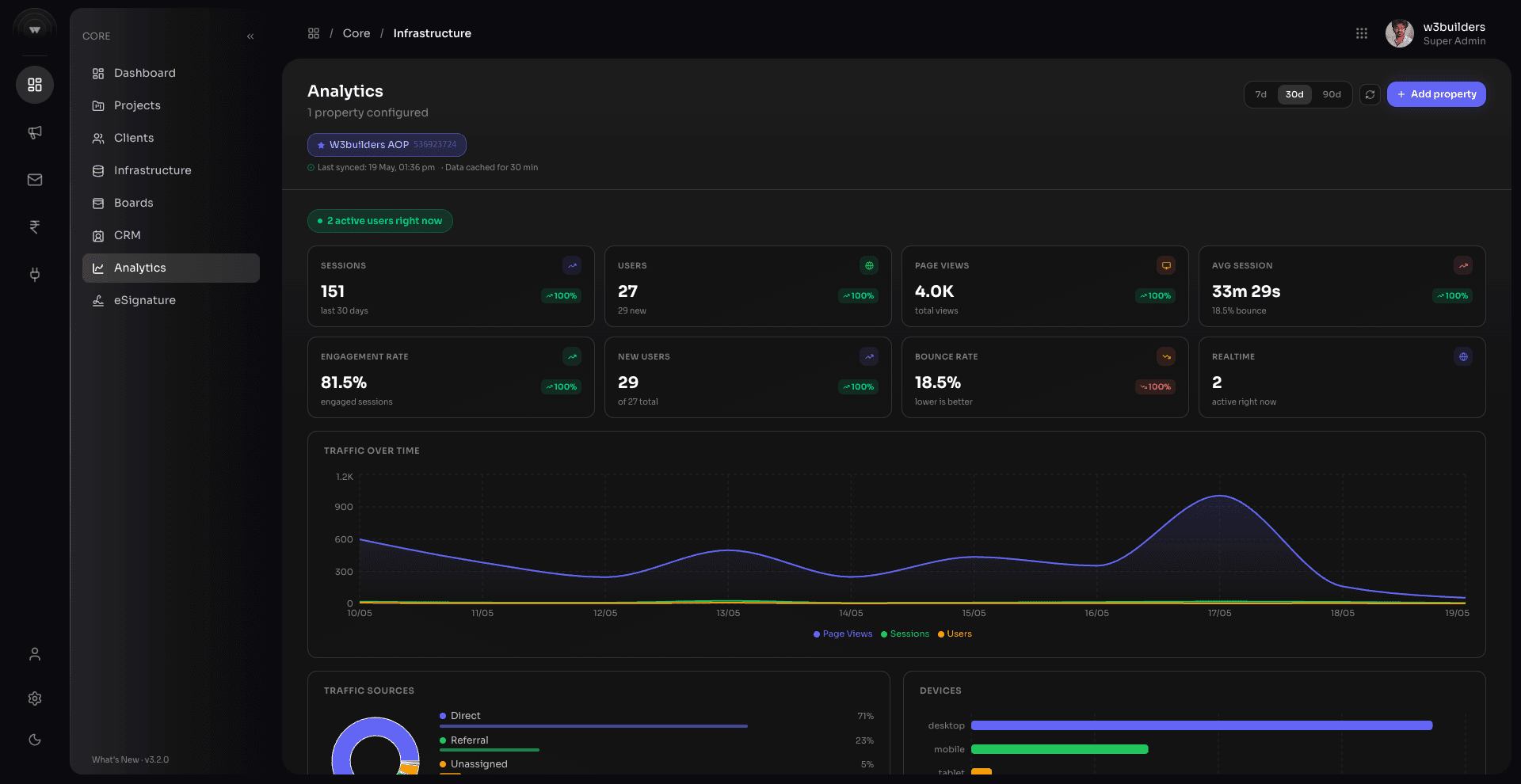
One GA4 view per client project
Connect each project to its own GA4 property. When you open a project, its analytics dashboard loads automatically — sessions, users, bounce rate, top pages, and traffic sources.
Share reports with clients without GA access
Generate a shareable analytics snapshot directly from AOP. Clients see the numbers you choose — no need to give them GA4 access or export CSV files.
Everything included
GA4 Integration
Connect your Google Analytics 4 properties. Each client project gets its own analytics panel.
Sessions & Users
Real-time and historical session counts, unique users, new vs returning visitors per project.
Traffic Sources
See where traffic comes from — organic, paid, social, direct, referral — broken down per site.
Engagement Rate
Track engaged sessions, average session duration, and pages per session for each client site.
Top Pages
See which pages drive the most traffic and engagement for each client project.
Conversion Tracking
Track goal completions and conversions. Understand which traffic source delivers real results.
Device Breakdown
Desktop vs mobile vs tablet split. Understand how clients' audiences access their sites.
Search Console
Connect Google Search Console alongside GA4. See impressions, clicks, and keyword rankings.
Ready to get started?
Start free — no credit card required. Upgrade as your agency grows.